 Optencis
Optencis is an affiliate of Pocket Option. Regulatory status and how we work
Pocket Option is a binary options platform that lets you trade the rise or fall of currency pairs, stocks, indices, commodities and cryptocurrencies over periods from a few seconds to several hours. We opened an account, used the demo and the live account, made a deposit and went through every screen. This review sums up what we found, with our own screenshots, and links to our detailed guides on each topic.
Pocket Option at a glance
| Item | What we found |
|---|---|
| Demo account | Free, no deposit, $50,000 in virtual money |
| Minimum deposit | $5 shown on the home page; each payment method shows its own minimum |
| Minimum trade | $1 |
| Payout | Up to 92% on many currency pairs, lower on some assets |
| Expiry | From a few seconds to several hours, or a fixed time |
| Assets | Currencies, cryptocurrencies, commodities, stocks, indices; OTC versions at weekends |
| Minimum withdrawal | $10, no commission charged by the platform |
| Islamic account | Available to every user, switched on in the settings |
Registration and the demo account
Registration takes an e-mail address and a password, or a Google or Facebook account. You can also try the demo without registering. Once inside, the account menu shows two accounts: the real-money one and the demo, with $50,000 in virtual money that you can use as long as you like.
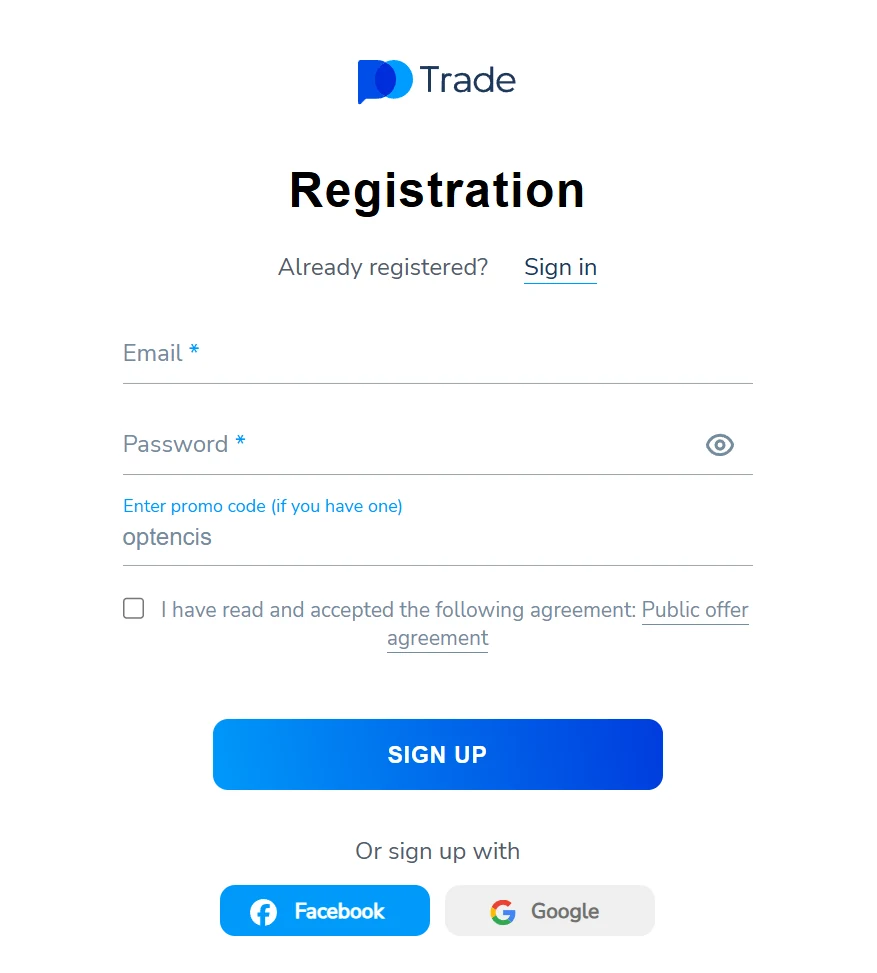
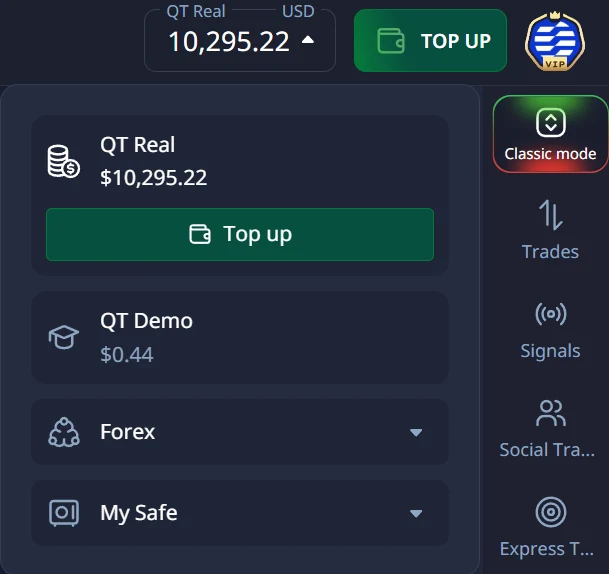
Always check which account is selected before you trade. Our guide to the Pocket Option demo account explains how to use it so that it really prepares you.
The trading screen
The screen is built around the chart, with the trade panel on the right: duration, amount, payout, and the Buy and Sell buttons. The chart offers four types (line, candles, bars, Heikin Ashi), timeframes from 5 seconds to one day, about thirty indicators, drawing tools, and up to four charts side by side.
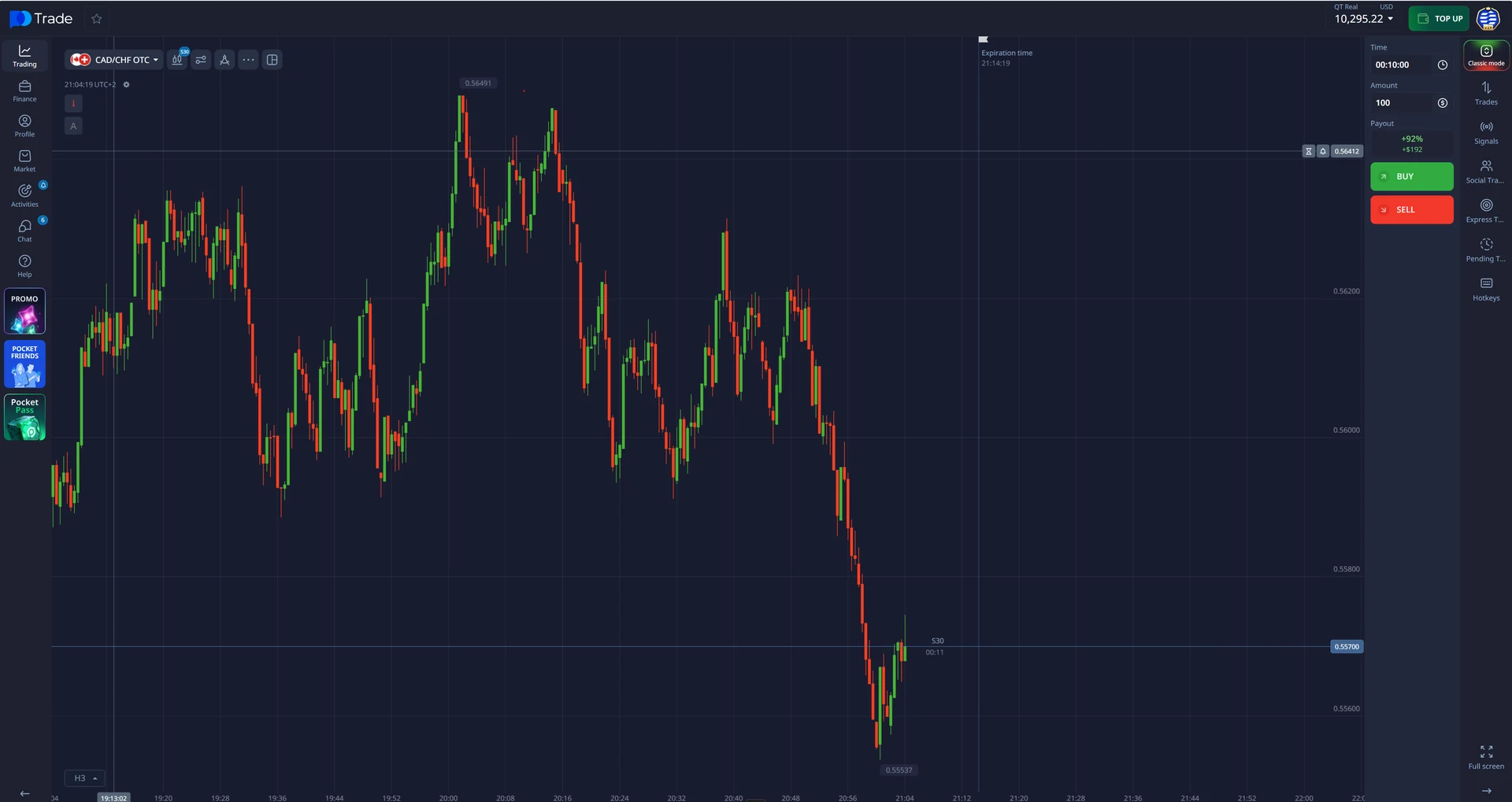
Everything works in the browser, with no installation, and the platform also offers apps. The interface is available in many languages.
Assets and payouts
The asset list is grouped by category, each asset with its current payout. During our test, many currency pairs paid 92%, while the OTC indices paid between 53% and 75%. At weekends, when the real markets are closed, only the OTC versions stay open; their price comes from the platform itself.
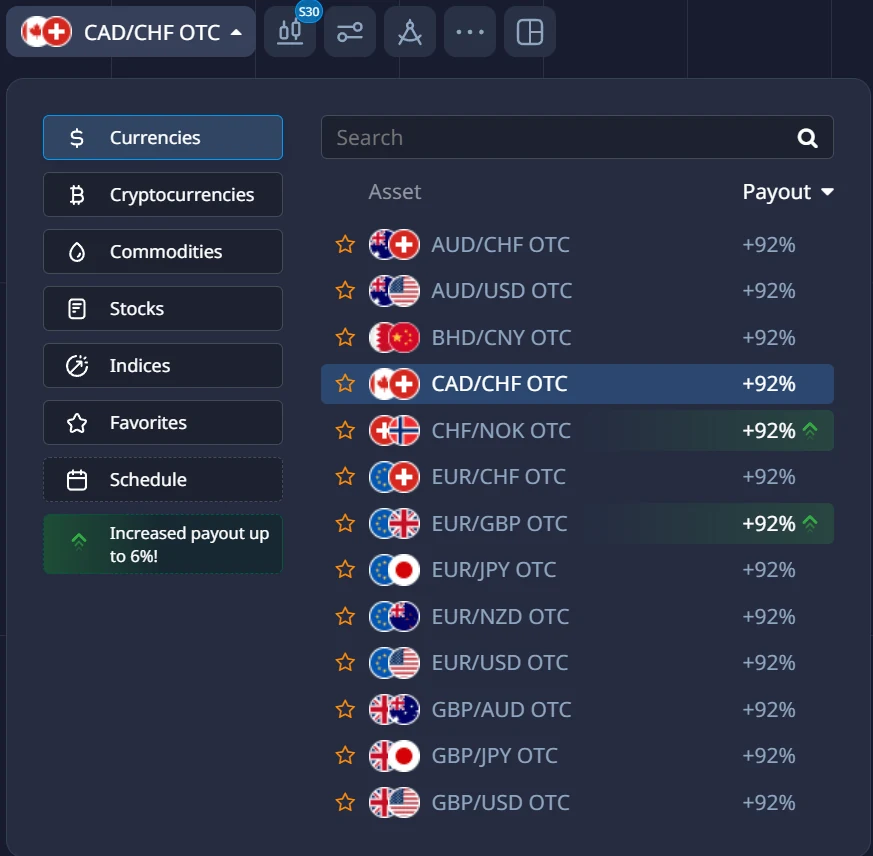
A 92% payout means you must win 52.1% of your trades just to break even. Read what the payout really means and what changes with OTC assets.
Placing a trade
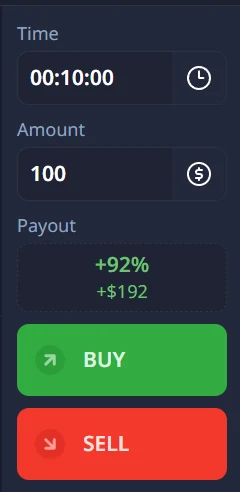
You choose the asset, the duration (or a fixed expiry time), the amount (in dollars or as a percentage of your balance), then Buy or Sell. The panel shows in advance what a win returns: $192 for $100 at 92%.
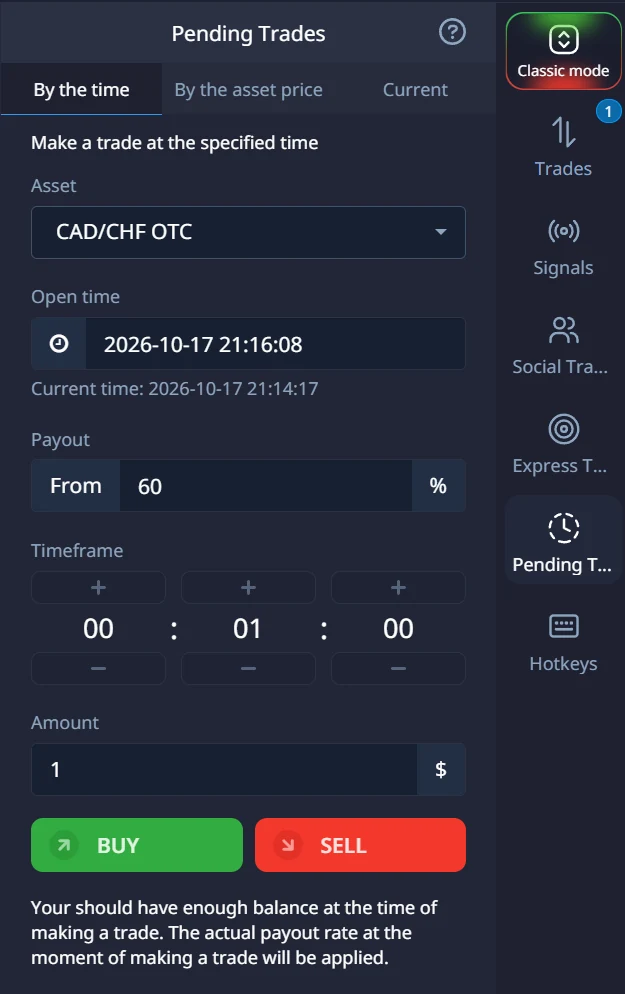
The platform also offers pending orders, which open a trade at a set time or when the price reaches a set level. That helps you prepare a trade without watching the screen.
Deposits and withdrawals
The deposit page lists the methods available in your country: cards, bank transfers, e-wallets and many cryptocurrencies, each with its own minimum. Withdrawals start at $10, go back to the method you deposited with, and are processed within three business days according to the platform. Verify your account before your first withdrawal: it is the most common cause of delay.
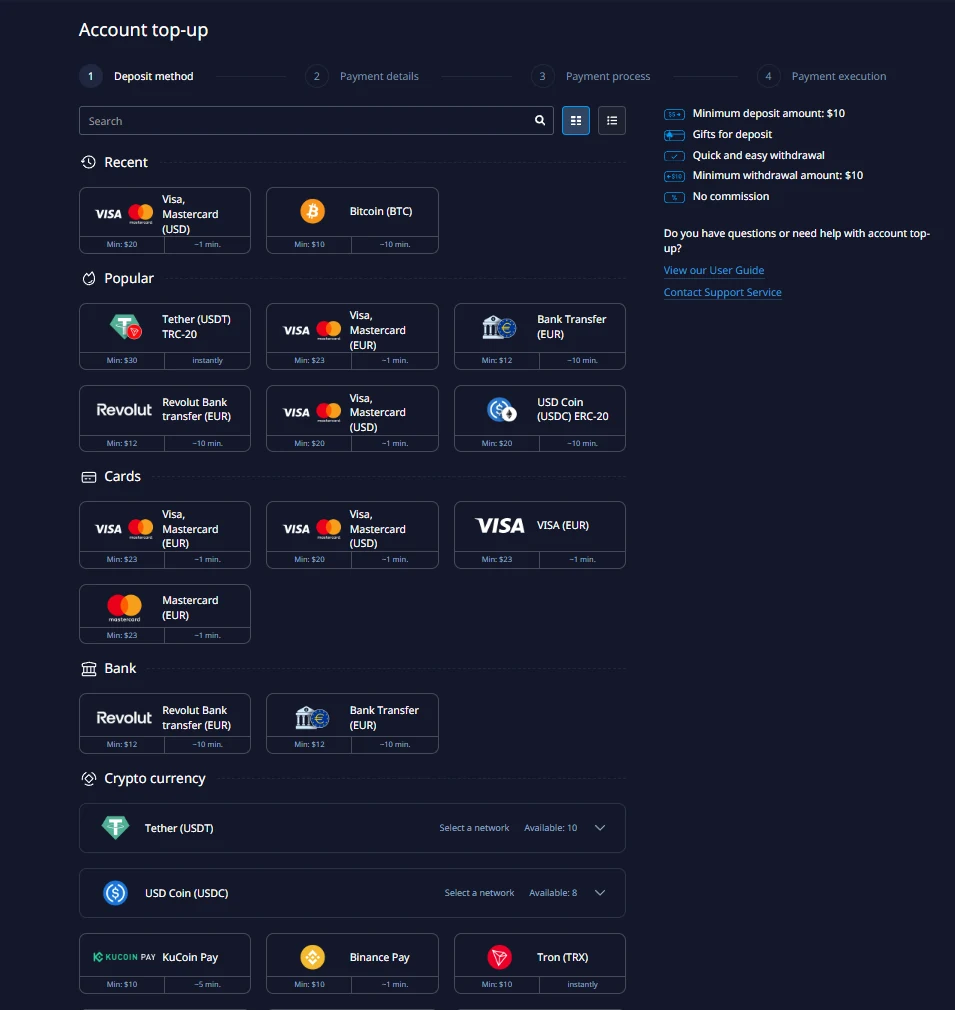
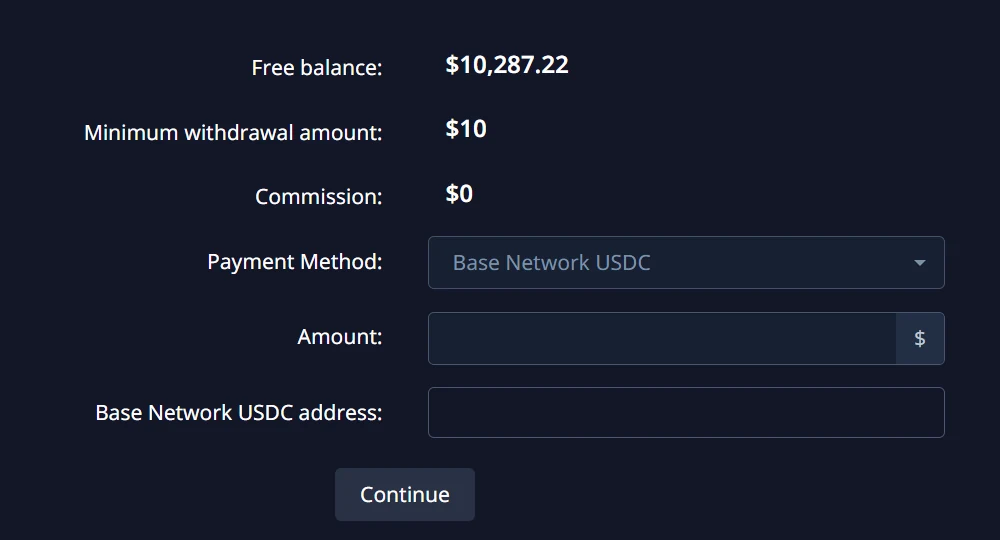
All the details are in our guide to deposits and withdrawals.
Account levels
A loyalty programme ranks accounts from Beginner to VIP Elite according to the total amount deposited. Higher levels unlock benefits such as a higher maximum trade amount, a payout increase, a discount in the platform’s Market and services like a personal assistant. None of this changes the math of a trade: do not deposit more just to move up a level.
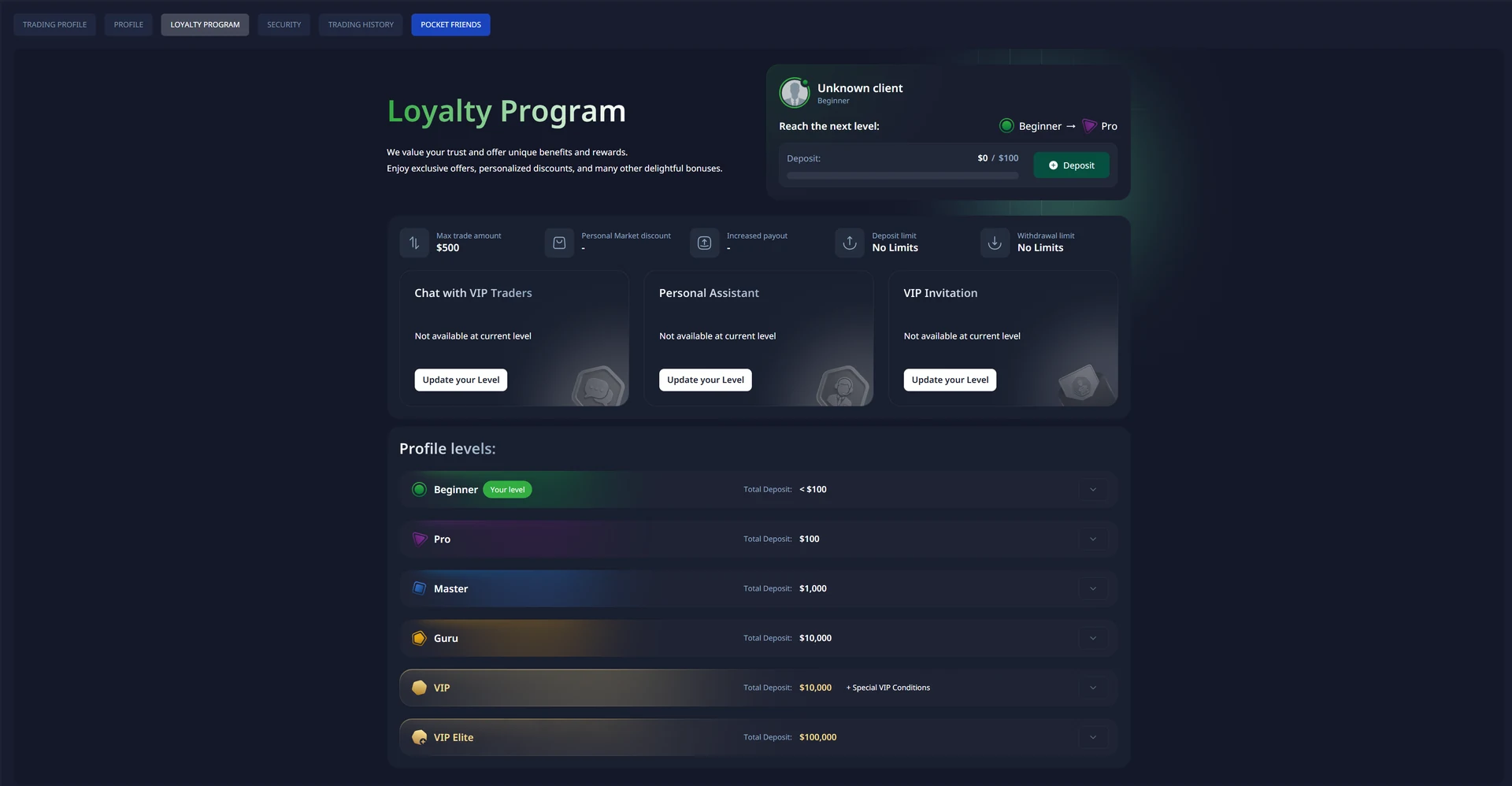
Extra features
- Express trades: several predictions combined into one order. The payout is higher, but every prediction must be right.
- Signals and social trading: suggestions and rankings of other traders. A ranking shows past results, never future ones.
- Tournaments: competitions with a prize fund and a participation fee.
- Promotions and bonuses: they come with conditions, especially for withdrawals. Read them before accepting.
- Islamic account: a setting that removes the markets not aligned with Islamic finance principles. Anyone can switch it on or off.
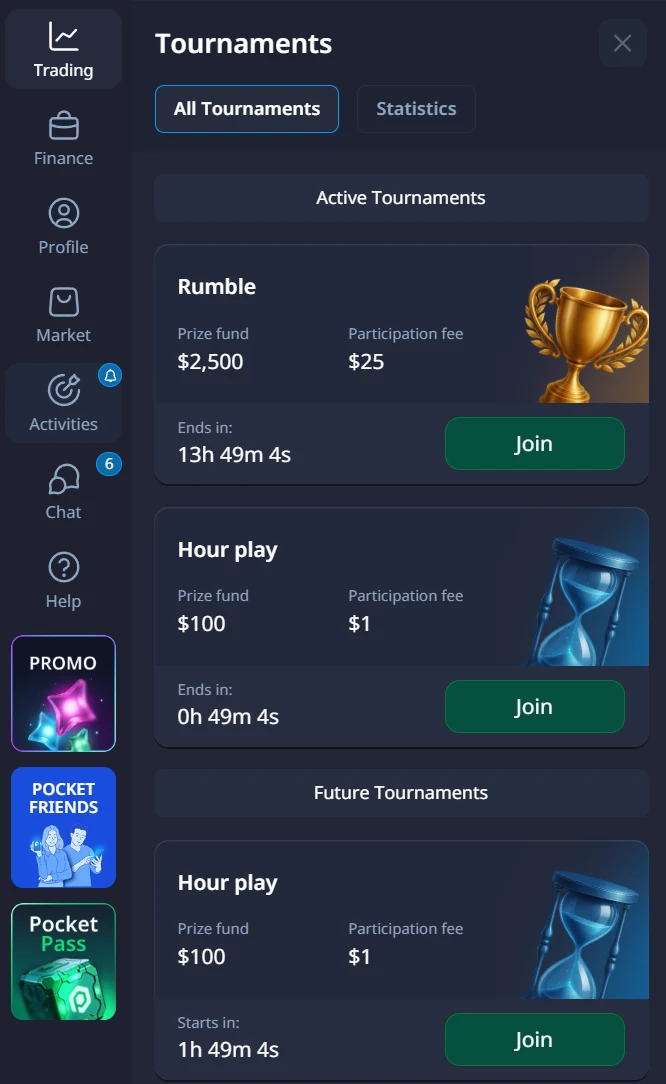
These features can be useful, but they also multiply the reasons to trade. A beginner gains more from a simple routine than from every option on the menu.
Support
The Help menu gives access to the support service, a live chat, guides and tutorials, community help and the platform’s official channels.
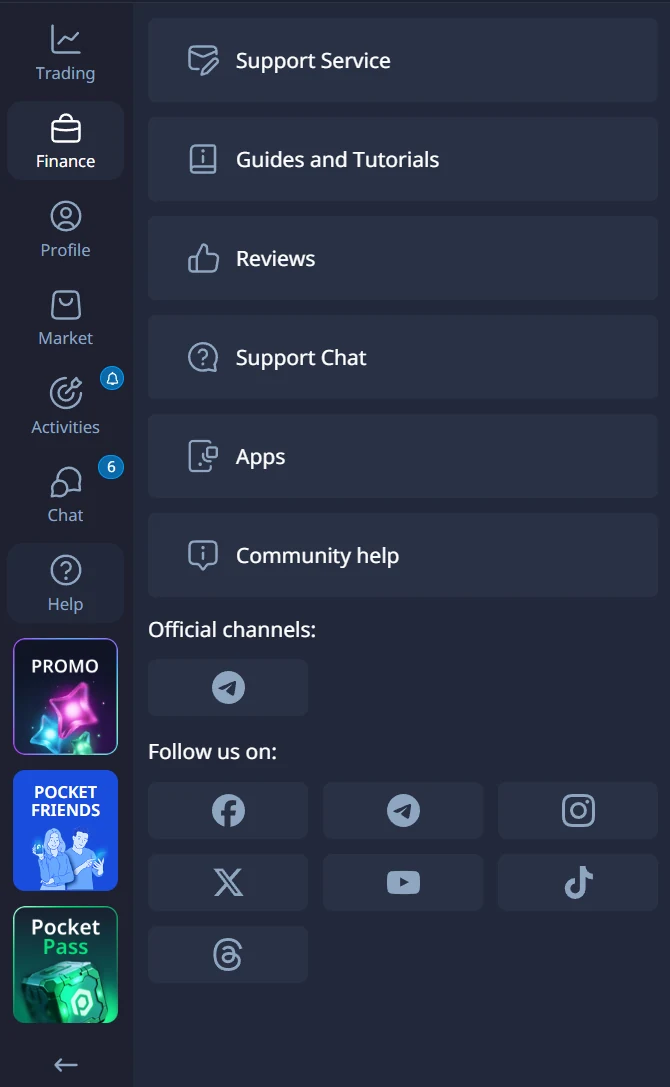
What we liked, and what to watch
| What we liked | What to watch |
|---|---|
| A free demo with no time limit | A payout below 100% puts the break-even win rate above 50% |
| A low minimum deposit and a $1 minimum trade | Payouts vary from one asset and one moment to another: check them before each trade |
| A clear trading screen, with many chart tools | OTC assets at weekends follow the platform’s own price, not the real market |
| Many payment methods, including crypto | Verification is required before withdrawing, and bonuses come with conditions |
| Pending orders and a fixed-time expiry | Very short durations and the extra features make it easy to trade too much |
Who Pocket Option suits
Pocket Option suits a beginner who wants to learn on a free demo, then trade small amounts with a clear plan: 1 to 2% of their capital per trade, a daily limit, and a trading journal. It does not suit anyone looking for fast gains: most binary options traders lose money, and no platform changes that. Our free course starts with the break-even win rate and how much to invest per trade.
Frequently asked questions
Does Pocket Option have a demo account?
Yes. It is free, needs no deposit, and gives you $50,000 in virtual money on the same platform as the live account.
What is the minimum deposit on Pocket Option?
The home page shows $5. Each payment method shows its own minimum in the deposit form.
What is the minimum trade?
$1 per trade.
How long do withdrawals take?
The platform processes requests within three business days, a period it can extend, plus the delay of the payment method. Verifying your account early avoids most delays.
Can you trade at weekends on Pocket Option?
Yes, on OTC assets, whose price comes from the platform. The real markets are closed at weekends.
Is trading on Pocket Option risky?
Yes. Binary options are high-risk products and most traders lose money. Start on the demo, trade small amounts and never trade money you cannot afford to lose.
Read our binary options guide for the basics. Binary options are high-risk products: you can lose all the money you invest.